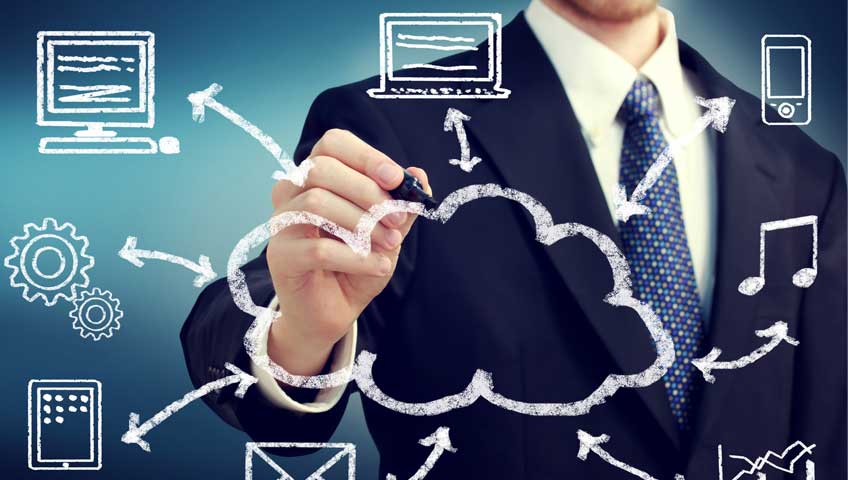
The cloud desktop or online desktop takes all the apps you need to operate your business and transitions them into hosted apps in data centres, meaning they can be accessed ‘online’ from anywhere as they are not tied to a specific computer or local on-premise network. This means users can access their hosted apps and company data over the internet via a secure connection to their cloud desktop.
Cloud Desktop delivers all your business applications in the cloud. Your whole IT infrastructure could be as simple as arming your team with tablets, smart phones or laptops and an internet connection. Businesses use Cloud Desktop as a secure online service and don't need to worry about installing software and buying servers ever again.
Cloud Desktop removes the need for servers and hardware on site, replaced with Acma's extensive network of server farms at global data centres. These data centres are physically secure controlled environments designed to provide resilient power and connectivity to all that is hosted within them.
It is in these highly secure facilities where all the processing is done, allowing you to access your Cloud Desktop from anywhere on almost any device, even on a smart phone. You move, your data doesn’t - and as your data stays within the data centre environment it’s more secure, so if you lose your laptop your data is still safe in Acma's data centres.
Acma continues to innovate to leverage new technologies. Combining the best technologies from Microsoft, EMC and Citrix, Acma Cloud Desktop delivers a world class platform.
Acma Cloud Desktop utilises the fundamentals of the technology and makes it available to the SME and mid-market for a fraction of the price of an 'enterprise grade' solution and without any loss of quality.

 Run any Software Application
Download and run any software or cloud service on your Cloud Desktop
Remote File AccessAll your computer files and folders are in one place. Every single one of them.
Access from ANY DeviceAccess your Cloud Desktop from any computer, smartphone or tablet e.g. iPad or Android devices.
No SyncingSyncing is not required because you can access your Cloud Desktop from any device.
Remote ControlRemotely control computers from an iPad or any tablet.
File TransferEasy and secure file transfer from and to your Cloud Desktop.
Always available – your desktop anywhere, anytimeCloud Desktop allows staff to access their desktops over the internet using conventional PCs, Apple Macs or simpler devices such as tablets, smartphones or thin clients.
Reduced capital expenditureWith no need to buy new PCs, servers or software licence upgrades, you are not continually investing in depreciating assets but can use this money for more strategic investments.
Integrated applicationsCloud Desktop uses customer dedicated virtual servers to run customer specific applications. This ensures that applications are secure and can interact with each other, for example, toolbars for CRM applications can be integrated into MS Office as they would be on a Windows PC.
Safe, secure and resilientSecure logon using Microsoft Remote Desktop Services protocol encryption, and the ability to restrict a user's access to specific files, folders and applications, XcellHost offers a highly secure service.
Latest technologyWith automatic updates from XcellHost, your IT team are able to focus on more strategical tasks that add value to the business.
Centralised dataInstead of having important data spread across multiple computers, it is held centrally on the Cloud Desktop reducing wasted time in trying to locate important documents.